
WoW: Forever addon
Waylaid Auction Helper
The cheapest way to earn Merchant's Favor and trade reputation in WoW: Forever.
- v0.5.0
/wh- English
- 简体中文
- 繁體中文
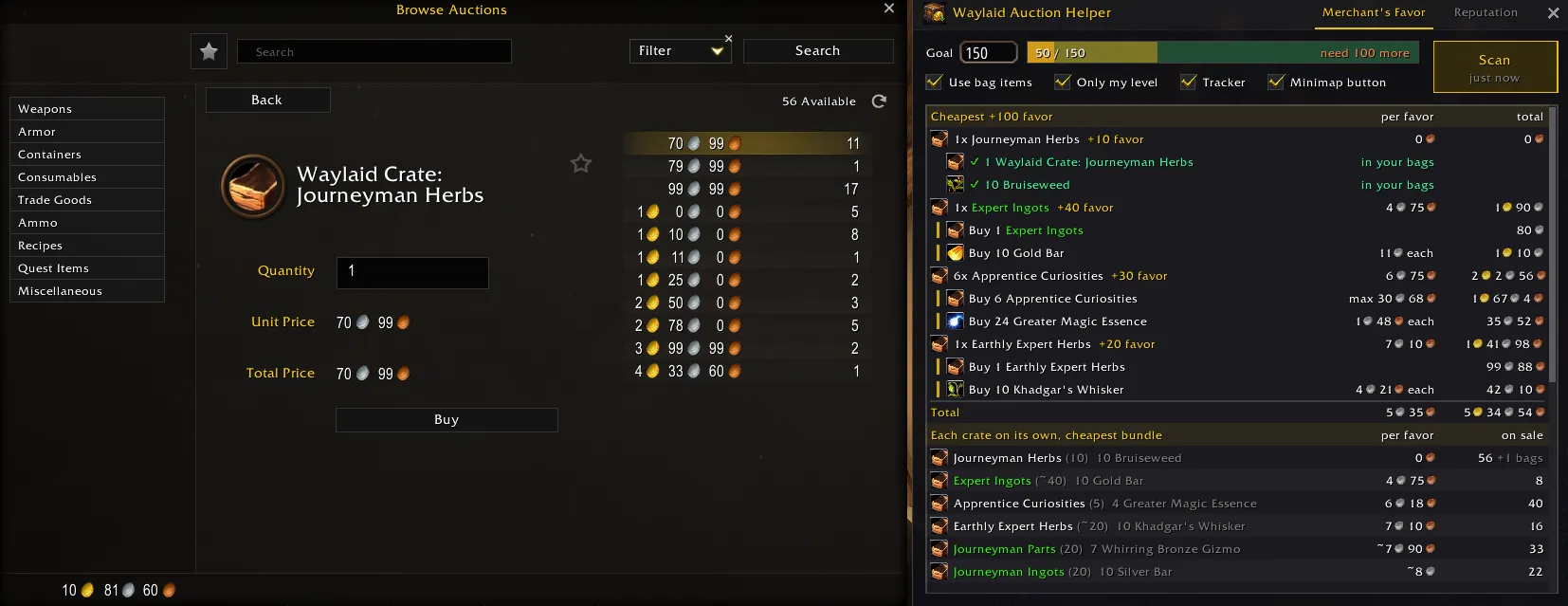
Scans the auction house for Waylaid Crates and the bundles that fill them, then tells you which crates to buy, which bundle to fill each one with and how many of each, for the lowest total gold. Its Reputation tab does the same for Craftsman's Writs.
Features
The cheapest plan
- Every mix of crates and bundles compared. A green crafting crate pays double favor, but its bundle may cost more than two white crates' worth
- Real prices: the 21st Copper Bar can cost more than the 20th, so each unit is charged at its listing price
- Your favor, your Sealed Crates and the crates and materials you carry count first
- Crates above your level are left out (Only my level)
Following the plan
- A tracker goes from buy to collect your mail to fill the crates to turn in, and says "Goal reached" when you're done
- A Fill button fills the next crate from your bags, one click per crate
- Every crate type ranked by cost per favor, including crates nobody is selling right now
Reputation from writs
- Plans reputation with Azeroth Commerce Authority or Durotar Supply and Logistics: pick the standing to reach and press Scan
- The cheapest Craftsman's Writs to do today, each with the item it wants
- Writ tooltips: what a writ wants, the reputation it pays and whether you did it today
Screenshots
Reputation tab: the cheapest Craftsman's Writs to reach Friendly, each with the item it wants 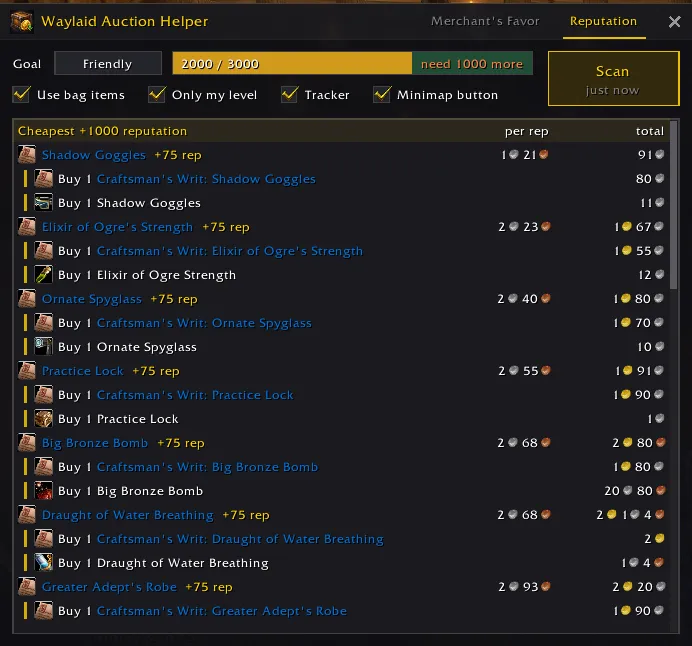
The tracker after shopping: everything is in your bags, with a button to fill the next crate 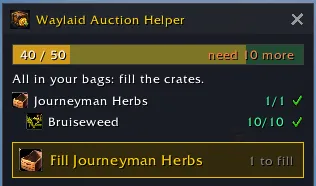
The tracker's Writs tab, listing the writs still to do and the ones done today 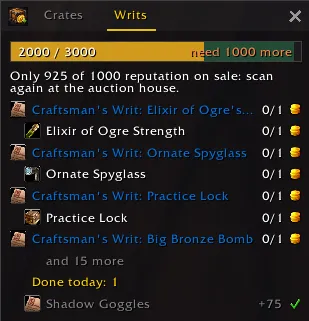
Getting started
- Open the auction house. The window opens beside it, or type
/whto open it anywhere else. - Set your Goal: how much Merchant's Favor you want to have (default 30).
- Press Scan. A scan takes a few seconds.
- Click each Buy line and buy what the plan lists.
- Leave the auction house and follow the tracker: collect your mail, press Fill for each crate, and turn in the Sealed Crates.
Good to know
- For reputation, open the Reputation tab, pick the standing and press Scan. The tracker's Use button then takes you through the writs.
- Some beta builds don't load saved settings at the next login. If your goal and settings reset, that's the game, not the addon.
WoW: Forever is in beta, and so is this addon. Found a problem? Leave a comment on CurseForge with what you expected and what the plan said.
What's new in 0.5.0
Craftsman's Writs: the cheapest way to your trade faction's next standing.
- A Reputation tab in the window plans reputation with your side's trade faction (Azeroth Commerce Authority or Durotar Supply and Logistics). Pick the standing to reach (click: the next one, right-click: the one before), press Scan, and it lists the cheapest Craftsman's Writs to do today, each with the item it wants, such as 200 Crafted Solid Shot. Writs and items in your bags and mail count as free, and writs you did today are left out.
- The tracker has Crates and Writs tabs. On Writs, its Use button opens the next writ whose item you hold so you can accept its delivery, and it lists the writs you did today until the daily reset.
- Writ tooltips, wherever a writ shows (bags, the auction house, chat links): what it wants, how many you have, the reputation it pays, what the rest costs on the auction house and whether you did it today. The item a writ wants names its writ, and a sealed writ such as Sealed Journeyman's Writ says what it opens into and how many writs of its rank you did today.
- Turning in a writ records the reputation you actually got, so a reputation bonus shows up in the plan.
- Clicking a Buy line opens the buy frame reliably: it waits while the auction house is busy and refreshes the listings if they don't come.
- Buy lines show the price each when it doesn't climb, and one unit just its price, instead of always a "max" price.
- Scans skip the materials of crates nobody sells and you don't have.
- The checkboxes no longer run into the Scan button in Chinese.
0.4.1
- A Minimap button checkbox in the window hides the minimap button. The tracker and the window are still in the minimap's addon menu (click: tracker, right-click: window), and
/whopens the window.
0.4.0
A tracker for after the auction house.
- After a scan, a small tracker follows your progress once you leave the auction house: what is still to buy, what waits in the mail, the crates you can fill and the Sealed Crates to turn in.
- A Fill button on the tracker fills the next crate with a bundle from your bags, one click per crate.
- What you buy counts as soon as you buy it: the plan ticks it off as in the mail instead of telling you to buy it again.
- What you have is ticked in the plan, green in your bags and gold in the mail, in a shorter line that no longer gets cut off.
- Close the tracker with its X until you next leave the auction house, or turn it off with the Tracker checkbox in the window.
- A minimap button: click it to show or hide the tracker at any time, right-click it for the window, drag it to move it. The tracker is also in the minimap's addon menu.
Crate, bundle and writ data from Wowhead's WoW: Forever database.

